

Cleaner Outside Artboards
CLEAN UP PASTEBOARD CLUTTER IN ONE CLICK
Is your pasteboard full of old sketches, test shapes, and leftover color swatches?
Run Cleaner Outside Artboards and the script deletes every visible, unlocked object that lies completely outside all artboards. Artwork that touches or overlaps an artboard stays exactly where it is.
A free script from JSX-Team — no sign-up, no checkout. Download the .jsx file and run it.
Free · No sign-up · Instant download
HOW TO INSTALL AND RUN CLEANER OUTSIDE ARTBOARDS
DOWNLOAD and INSTALL
1. DOWNLOAD
Click Free Download above. The script file saves to your computer.
2. RUN ONCE
In Illustrator choose File → Scripts → Other Script… (Cmd+F12 / Ctrl+F12) and pick the downloaded file.
OR INSTALL PERMANENTLY
Copy the file into the Illustrator Scripts folder and restart Illustrator. It then appears under File → Scripts.
macOS: /Applications/Adobe Illustrator [version]/Presets/[language]/Scripts
Windows: C:\Program Files\Adobe\Adobe Illustrator [version]\Presets\[language]\Scripts
Changed your mind? Cmd+Z / Ctrl+Z restores everything.
RUN
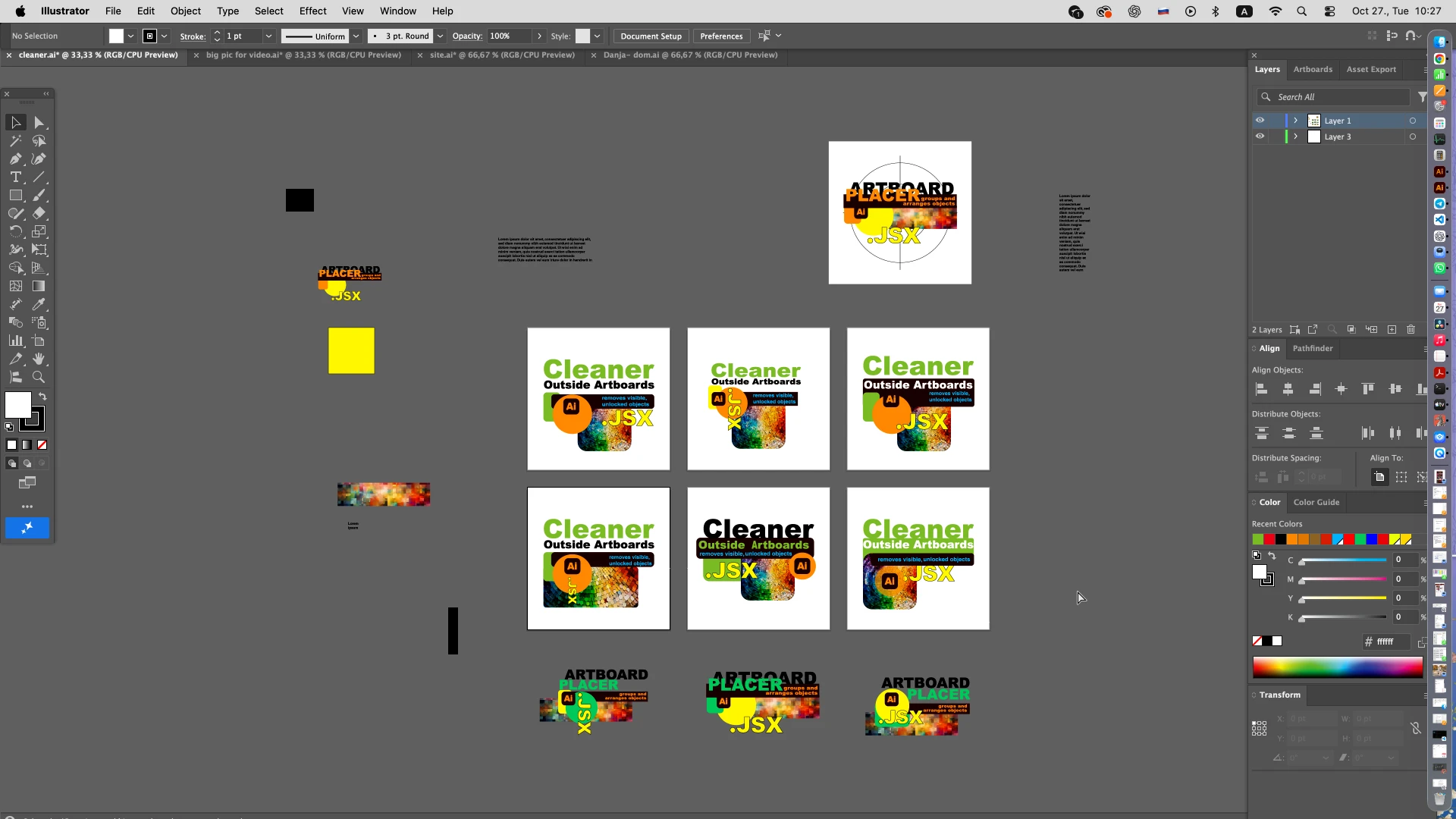
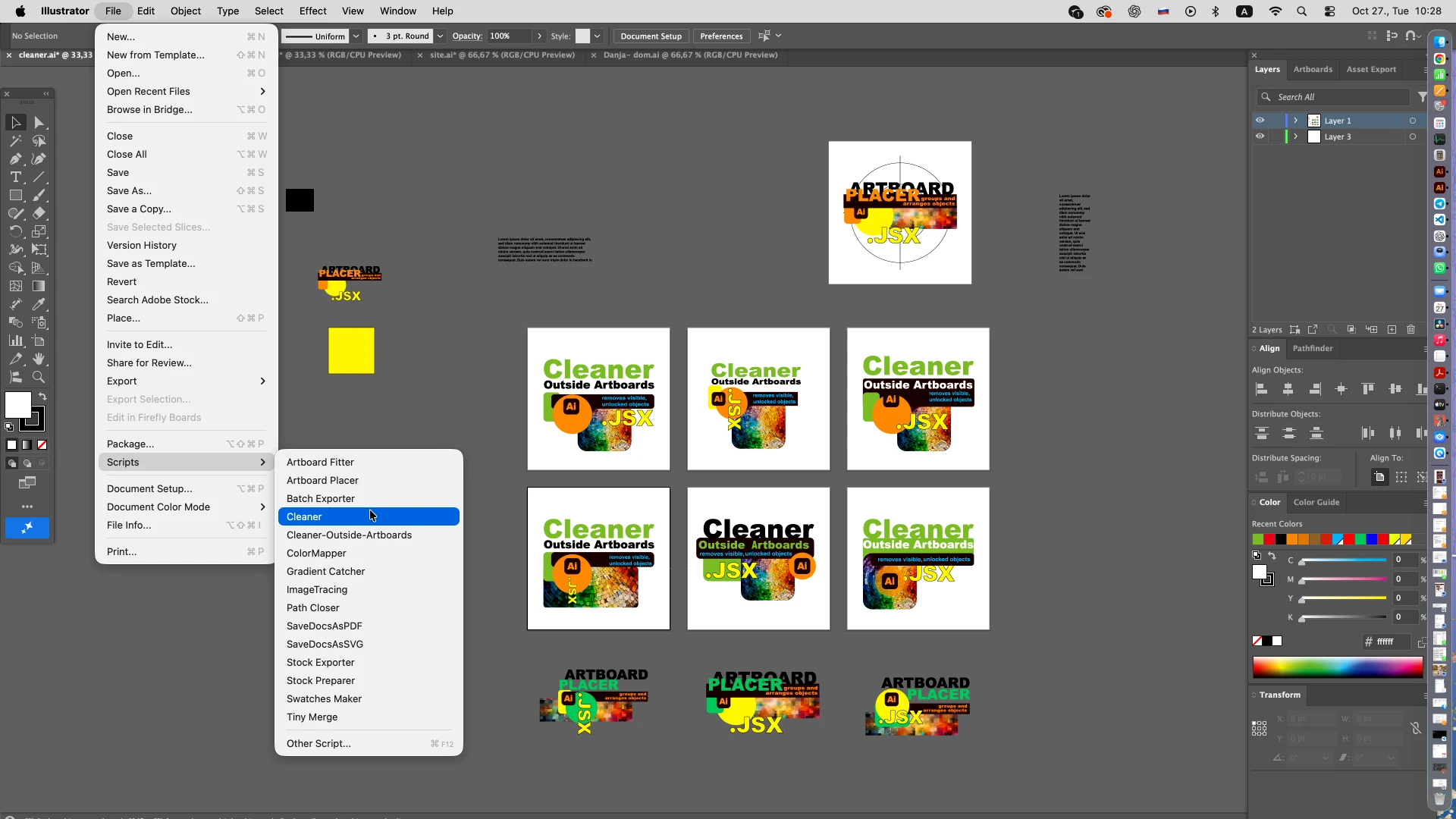
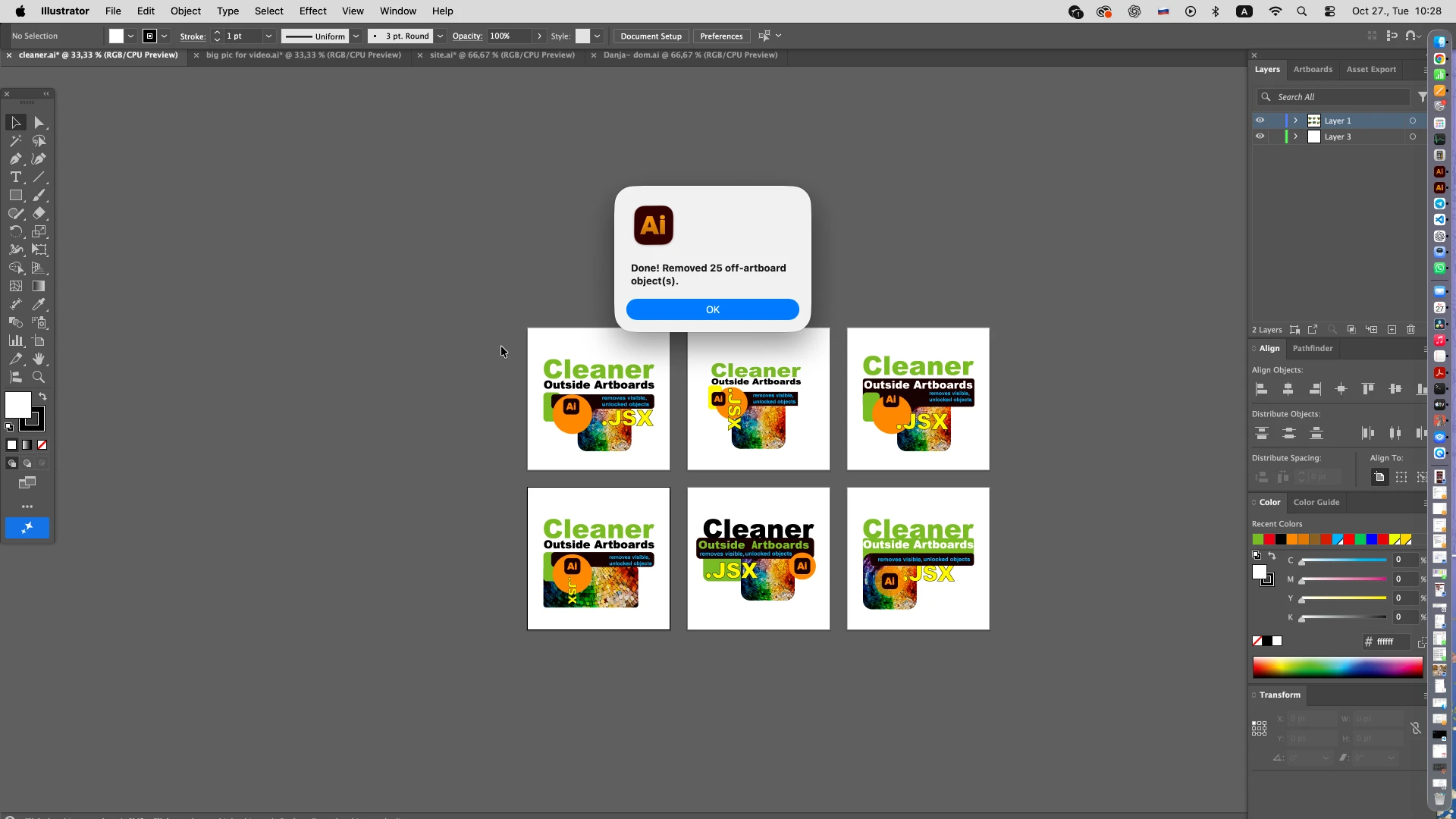
Everything that sits completely outside your artboards is removed in one pass. Hidden and locked objects are skipped, and one Undo (Cmd+Z / Ctrl+Z) brings everything back.
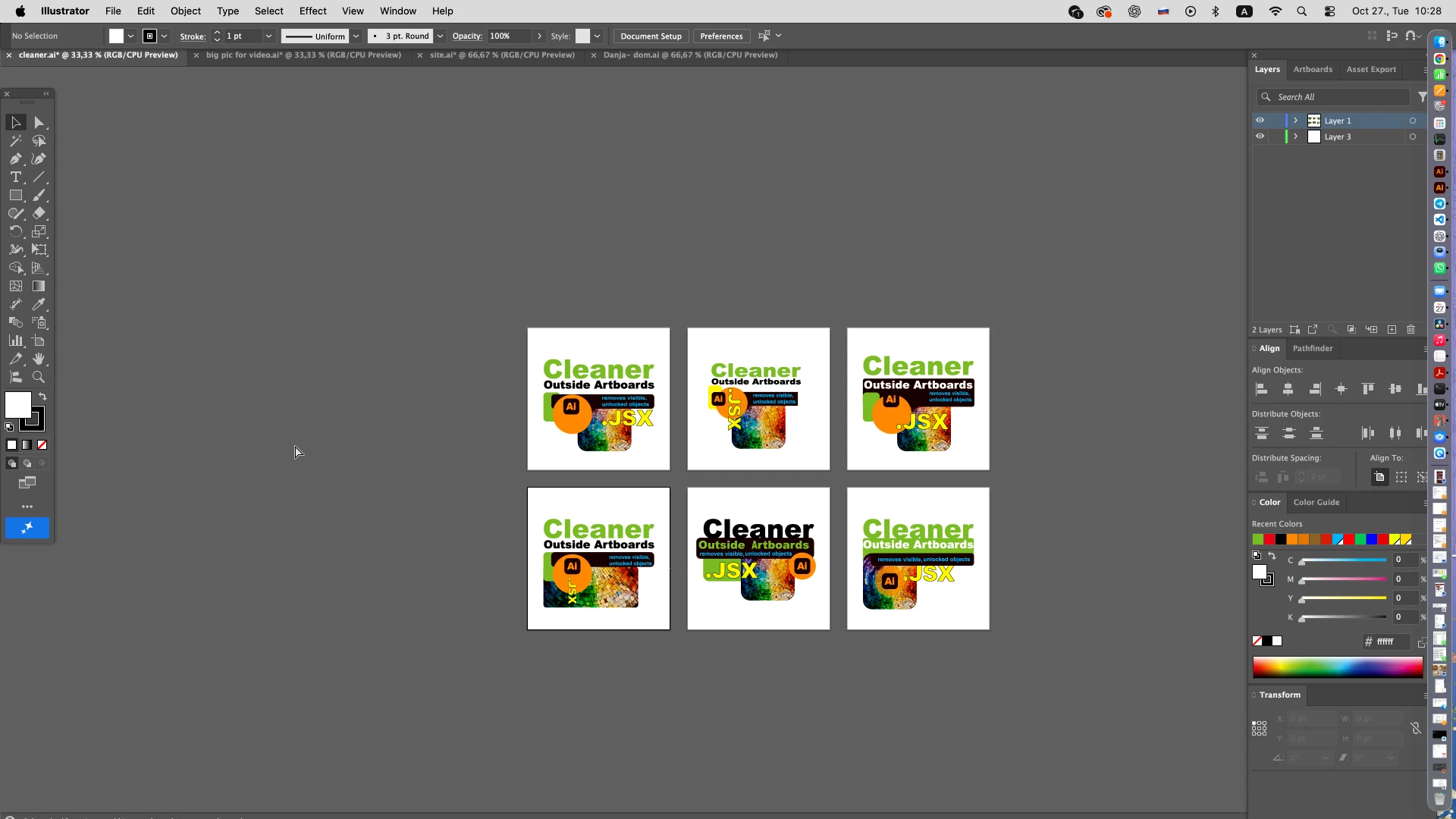
NO MORE DELETING SCRAP VECTORS BY HAND.
RESULT
Everything that sits completely outside your artboards is removed in one pass. Hidden and locked objects are skipped, and one Undo (Cmd+Z / Ctrl+Z) brings everything back.
REQUIREMENTS
- Adobe Illustrator 2025, 2026
- macOS or Windows
- An open document with at least one artboard
- Objects to remove must be visible and unlocked
IMPORTANT TO KNOW
- Only objects lying completely outside every artboard are deleted.
- Objects that touch or overlap any artboard are kept.
- Hidden or locked objects and layers are skipped.
- The whole cleanup can be undone with one Undo.
- Save a copy first if the pasteboard holds artwork you may need later.
INCLUDED WITH Cleaner Outside Artboards
- Cleaner-Outside-Artboards.jsx script