

Stock Exporter
CREATE A MATCHED EPS 10 AND HIGH-RESOLUTION JPEG PAIR FOR EVERY ARTBOARD.
Prepare stock-delivery pairs from one Illustrator file or an entire folder in one batch.
Stock Exporter isolates each artboard in a temporary RGB document and creates a matching EPS 10 and maximum-quality JPEG pair with consistent two-digit numbering. It can copy available XMP metadata, organize all results together or by source document, and reports warnings, errors, skips, and final totals.
The export profile is fixed for predictable output, while source documents remain unsaved and unchanged.

INDIVIDUAL LICENSE
1 USER up to 2 DEVICES

TEAM LICENSE
UP TO 10 USERS
How to use — Stock Exporter
ILLUSTRATOR EXPORT INTO ONE ORGANIZED BATCH
Choose one AI or EPS document, or an entire folder of documents. Stock Exporter exports every artboard to PNG, JPEG, SVG, and EPS 10, or A4 PDF.
RUN STOCK EXPORTER
Choose File > Scripts > Other Script… and select Stock Exporter.jsx. If permanently installed, choose File > Scripts > Stock Exporter.
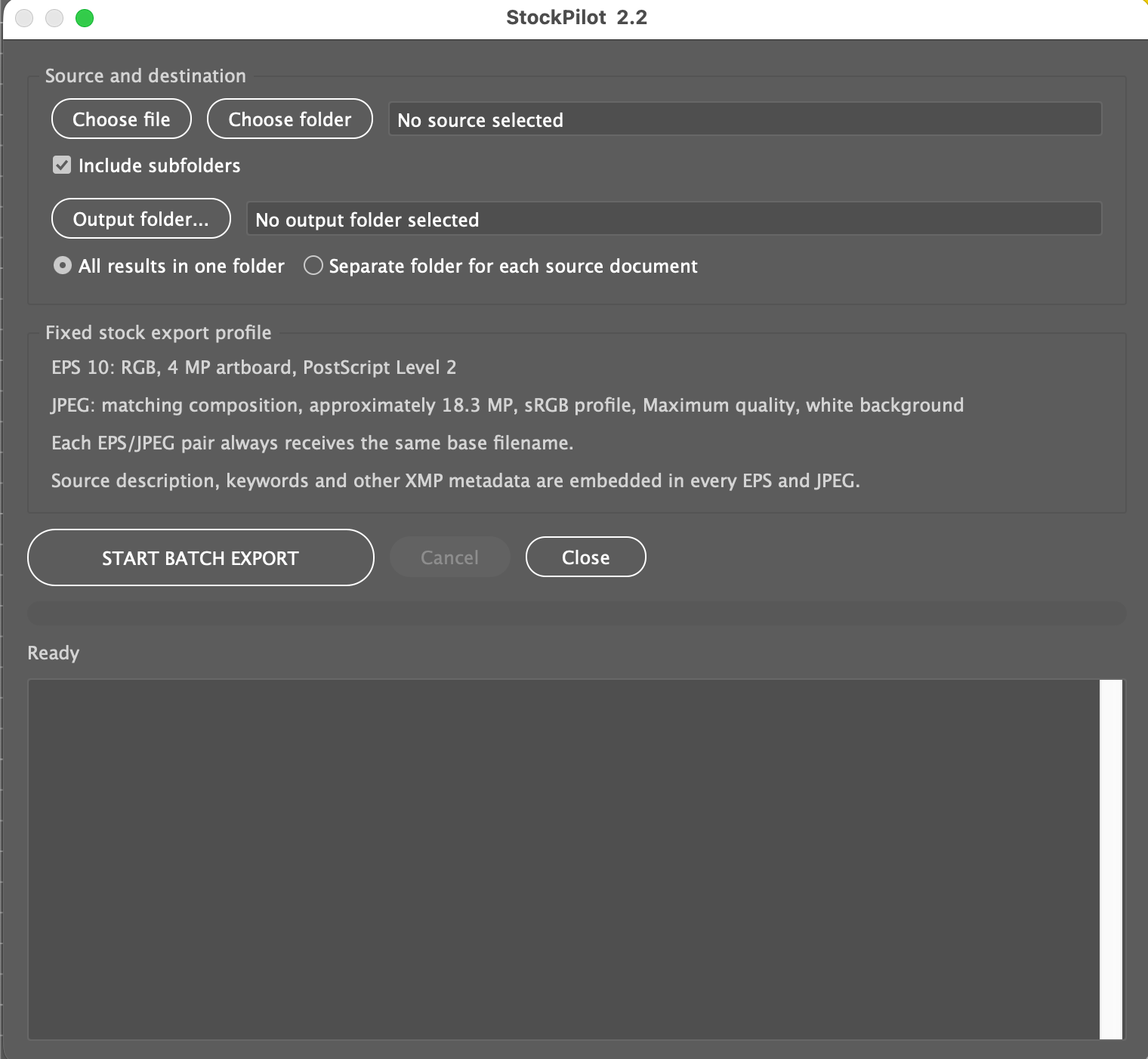
NO MORE OPENING AND EXPORTING EVERY ARTBOARD TWICE.
RESULT
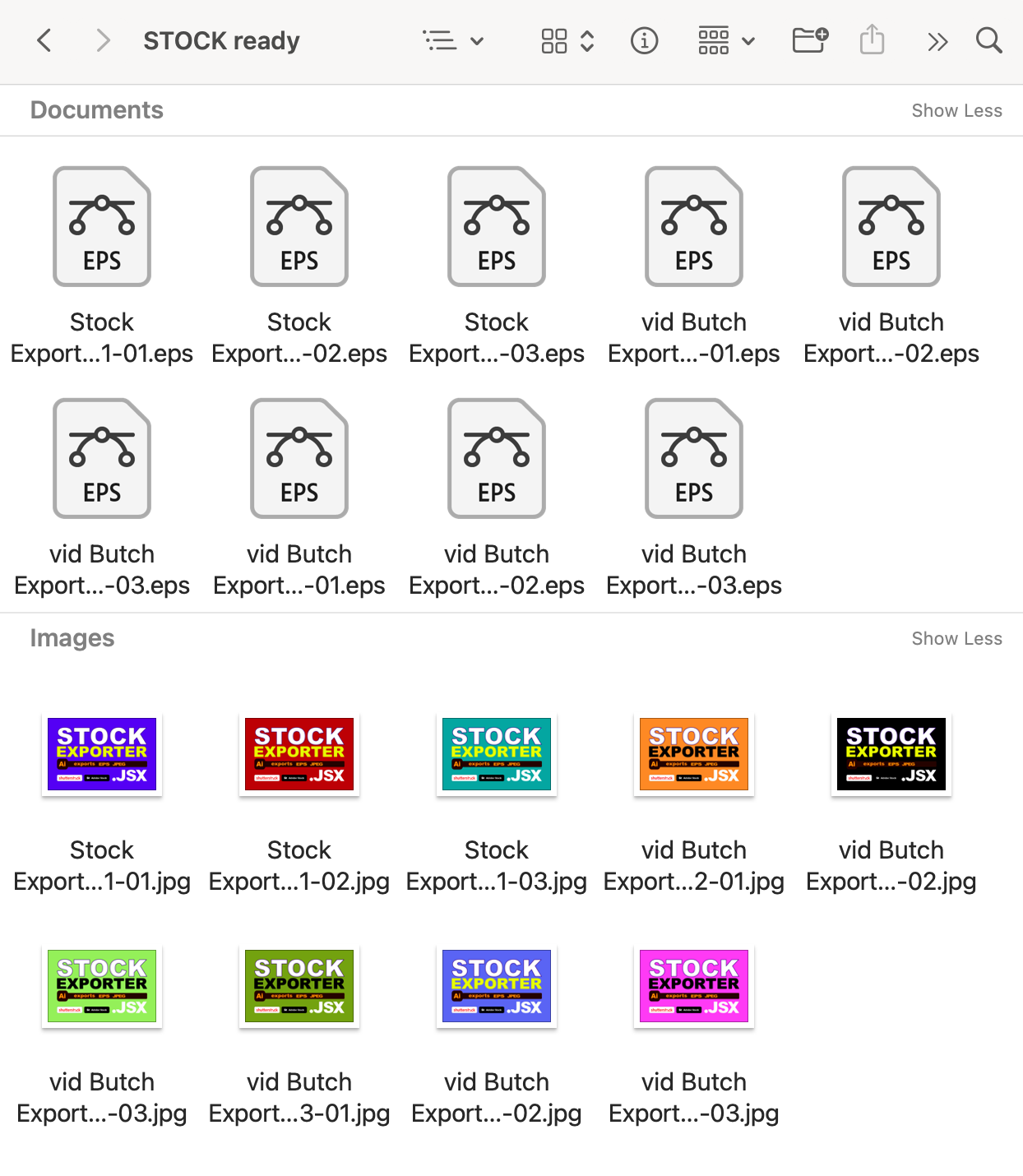
Each artboard produces a numbered pair such as My design-01.eps and My design-01.jpg.
HOW STOCK EXPORTER WORKS
- Choose one AI/EPS file or a folder.
- Optionally scan nested subfolders.
- Choose a separate writable output folder.
- Keep all pairs together or create a folder per source document.
- Click START BATCH EXPORT and resolve existing-file conflicts once for the batch.
- Review the log, warnings, metadata, and every exported pair.
REQUIREMENTS
- Adobe Illustrator 2025, 2026
- macOS or Windows
- AI or EPS input.
- Prepared artwork with required fonts and links available.
- Existing accessible destination, separate from source EPS files.
- Adobe XMP support when metadata must be written to JPEG.
IMPORTANT TO KNOW
- Fixed EPS profile: Illustrator 10, RGB, 4 MP, PostScript Level 2; fonts and links are not embedded by the save settings.
- Fixed JPEG profile: approximately 18.3 MP, maximum quality, white background, original aspect ratio.
- EPS files over 45 MB or JPEG files over 50 MB are removed with the incomplete pair.
- Warnings do not repair artwork or guarantee stock-marketplace acceptance.
- Objects crossing artboards, links, fonts, and metadata require review.
INCLUDED WITH STOCK EXPORTER
- Protected Stock Exporter.jsx script
- README
- Quick-Start Guide for macOS and Windows
- Full User Guide
- Package Contents
- Important Do-Not-Edit Notice