

Swatches Maker
TURN ONE RASTER IMAGE INTO AN ORGANIZED GLOBAL ILLUSTRATOR COLOR PALETTE.
Build a practical palette from a photograph, scan, or raster reference in one click.
Swatches Maker runs a temporary Illustrator Image Trace, combines very similar samples, prioritizes prominent and distinct colors, gently optimizes the palette, and creates a uniquely named group of Global Process Color swatches with tint support.
Choose from 5 to 100 target colors for compact design palettes or detailed color exploration.

INDIVIDUAL LICENSE
1 USER up to 2 DEVICES

TEAM LICENSE
UP TO 10 USERS
HOW SWATCHER MAKER WORKS
RASTER REFERENCE
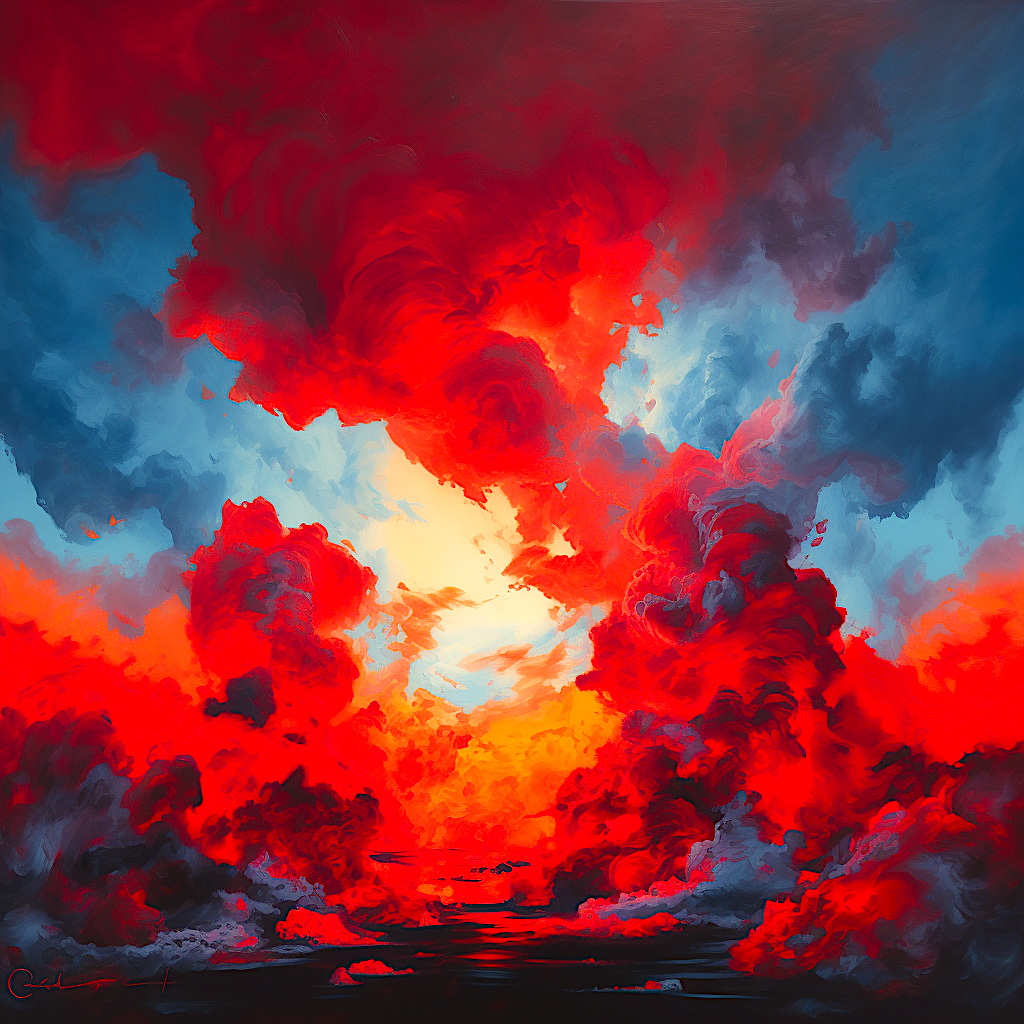
Select one clean raster reference.
RUN SWATCHER MAKER
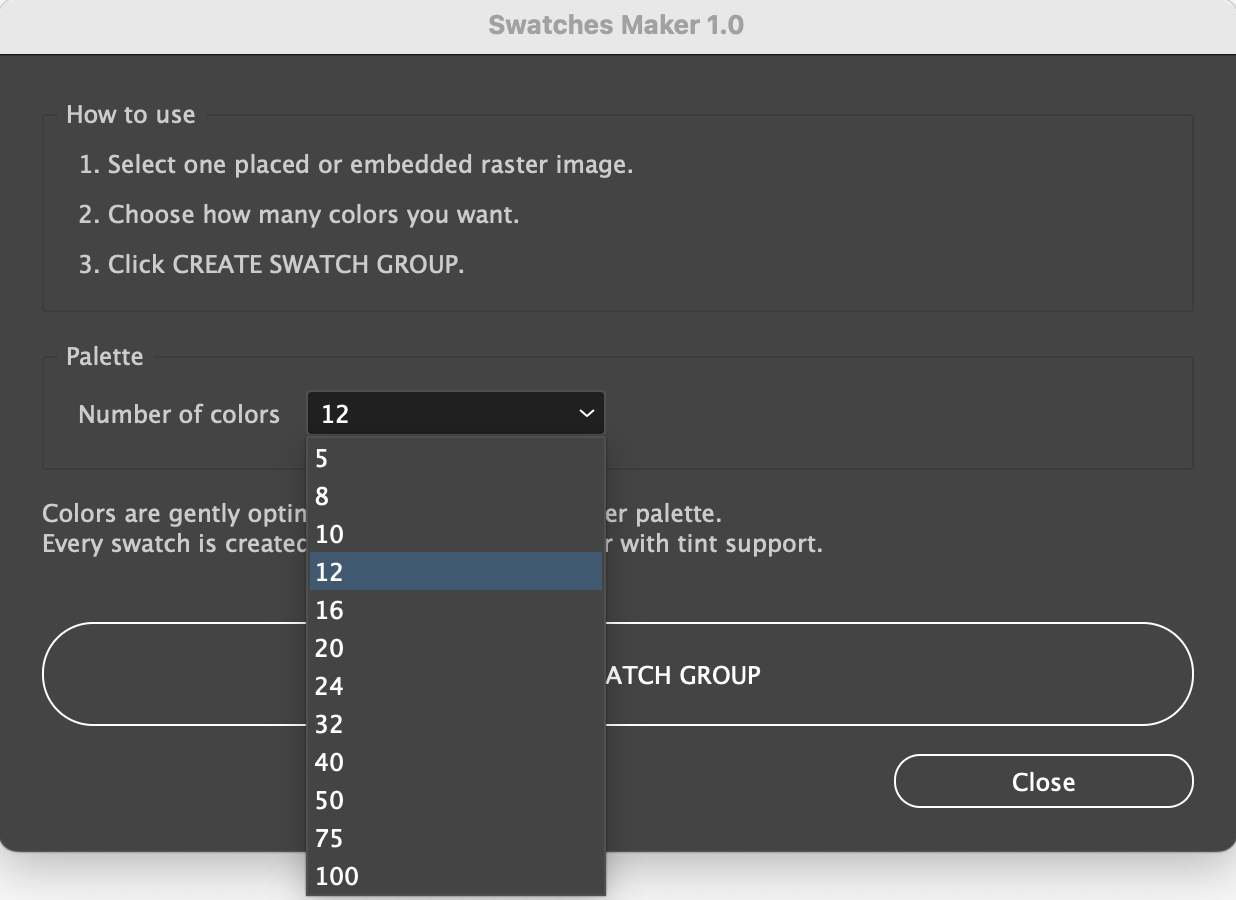
Open a document and select exactly one placed or embedded raster image. Choose File > Scripts > Other Script and select SwatchesMaker.jsx, or choose File > Scripts > SwatchesMaker after
Choose how many colors you need and then click CREATE SWATCH GROUP.
RESULT
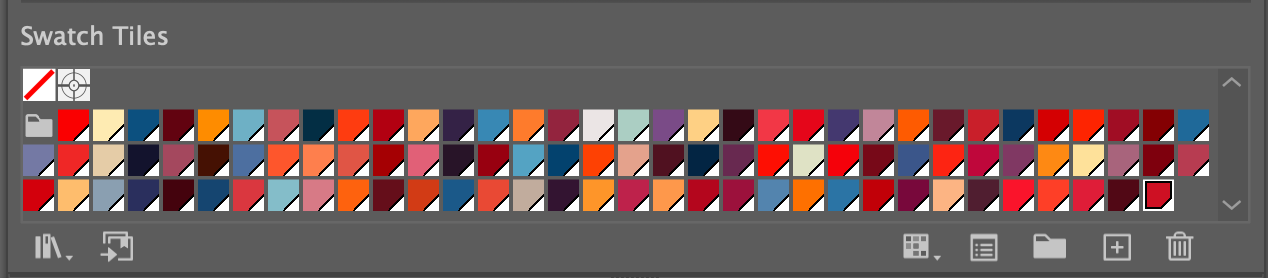
A compact, sorted global swatch group is ready for illustration, branding, editorial, or packaging work.
NO MORE PICKING AND SAVING EVERY COLOR BY HAND.
HOW SWATCHES MAKER WORKS
- Place or embed one raster image and select it.
- Launch Swatches Maker.
- Choose a target of 5, 8, 10, 12, 16, 20, 24, 32, 40, 50, 75, or 100 colors.
- Click CREATE SWATCH GROUP.
- Open the Swatches panel and review the uniquely named group.
- Apply global colors and use Illustrator Tint controls as needed.
REQUIREMENTS
- Adobe Illustrator 2025, 2026
- macOS or Windows
- RGB documents only
- Exactly one selected PathItem with a linear or radial gradient fill.
- A visible, unlocked PlacedItem or RasterItem on the bottommost usable raster layer.
- Every calculated sampling point inside the active artboard.
IMPORTANT TO KNOW
- The selected count is a maximum target; the actual palette may contain fewer colors.
- White and dominant background colors can be included; crop unwanted areas first.
- Output uses RGB Global Process Colors; review color conversion for CMYK work.
- There is no preview or manual color editing inside the dialog.
- High color counts and detailed images can take longer.
INCLUDED WITH SWATCHES MAKER
- Protected SwatchesMaker.jsx script
- README.txt
- QUICK_START.pdf
- Full User Guide
- PACKAGE_CONTENTS.txt
- IMPORTANT-DO-NOT-EDIT.txt