

Artboard Fitter
FIT AND CENTER ARTWORK WITH SEPARATE HORIZONTAL AND VERTICAL MARGINS.
Need every composition to fit its artboard cleanly without distortion?
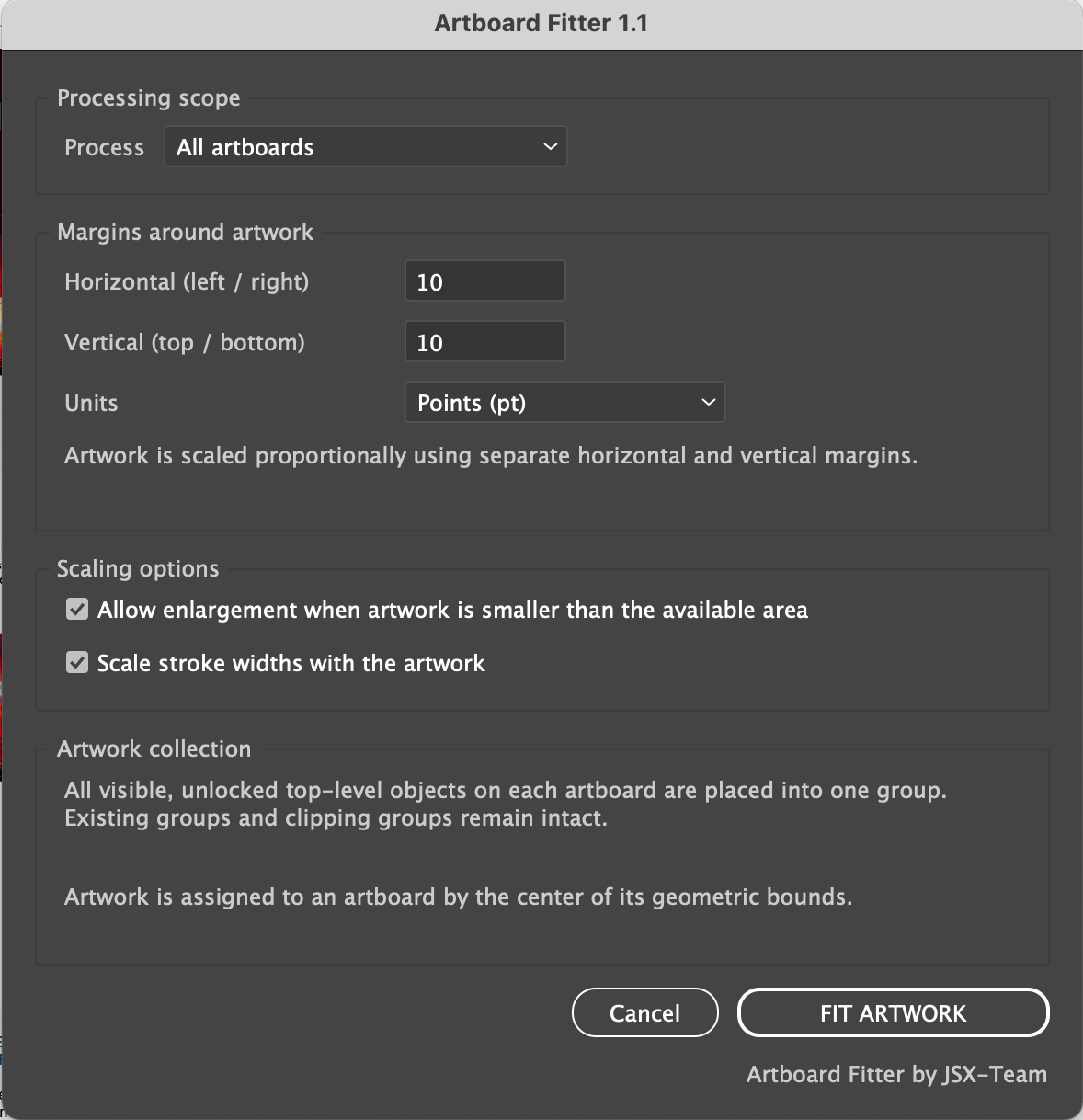
Artboard Fitter collects eligible artwork on each selected artboard, groups it, calculates the available area after horizontal and vertical margins, scales the group proportionally, and centers it.
Choose whether smaller artwork may be enlarged and whether stroke widths scale with the artwork. Process one active artboard or a complete multi-artboard document in one run.

INDIVIDUAL LICENSE
1 USER up to 2 DEVICES

TEAM LICENSE
UP TO 10 USERS
HOW ARBOARD FITTER WORKS
PREPARE
Show and unlock the intended artwork and place each composition mainly on its artboard.
Select the artboards and set separate horizontal and vertical margins. Artboard Fitter groups the artwork on each artboard, scales it proportionally to fit within the margins, and places it exactly in the center.
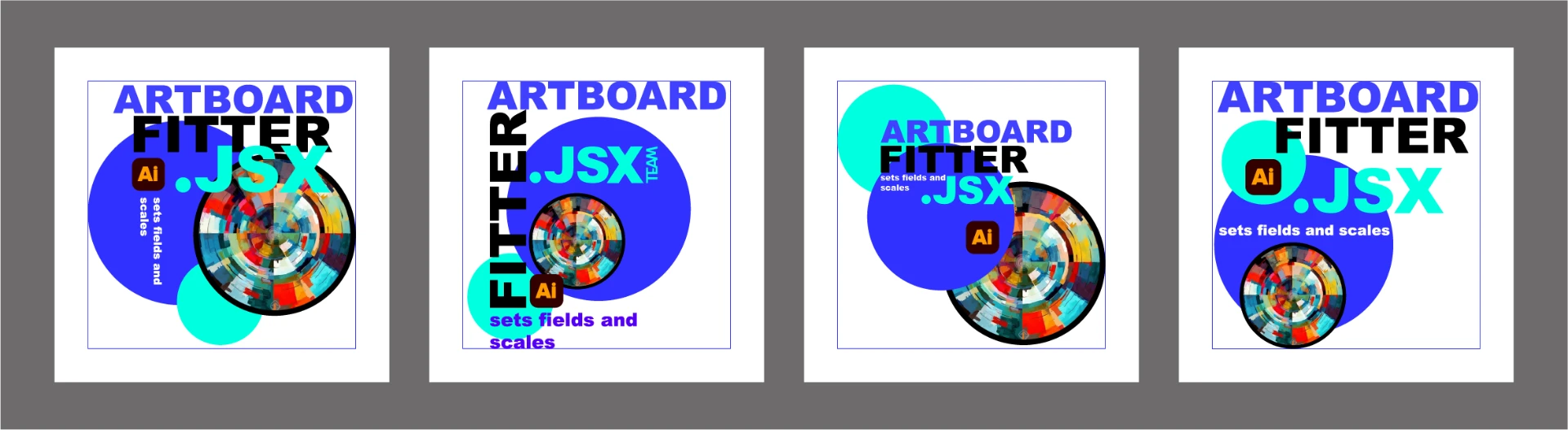
Each composition is fitted to its artboard without changing its proportions.
RUN ARTBOARD FITTER
Choose File > Scripts > Other Script and select ArtboardFitter.jsx. If permanently installed, choose File > Scripts > ArtboardFitter.
SET MARGINS
Enter separate horizontal and vertical margins in pt, mm, or cm.
ENABLE SCALING
Keep Allow enlargement and Scale stroke widths enabled.
NO MORE GROUPING, SCALING, AND ALIGNING EVERY DESIGN BY HAND.
RESULT
Wide, tall, and square compositions are proportionally fitted and centered with consistent visible margins.
HOW ARTBOARD FITTER WORKS
- Work on a duplicate document.
- Choose Active artboard or All artboards.
- Set equal left/right and equal top/bottom margins.
- Choose pt, mm, or cm.
- Choose enlargement and stroke-scaling behavior.
- Click FIT ARTWORK and inspect every processed artboard.
REQUIREMENTS
- Adobe Illustrator 2025, 2026
- macOS or Windows
- An open document with at least one artboard.
- Eligible artwork visible, unlocked, and inside visible, unlocked layers or sublayers.
IMPORTANT TO KNOW
- Each composition becomes an Artboard Fitter Group; artwork from different layers may be moved into one group.
- Assignment is based on the center of the object's geometric bounds.
- Left/right share one margin value; top/bottom share another. Four independent margins are not available.
- Margins are empty or transparent space; the script does not create a background.
- Hidden, locked, guide, and out-of-artboard-center objects are skipped.
- Keep Scale stroke widths enabled for the most consistent visible margins.
INCLUDED WITH ARTBOARD FITTER
- Protected Artboard Fitter.jsx script
- README
- Quick-Start Guide for macOS and Windows
- Full User Guide
- Package Contents
- Important Do-Not-Edit Notice