

Batch Exporter
EXPORT EVERY ARTBOARD FROM ONE FILE OR AN ENTIRE FOLDER TO MULTIPLE FORMATS.
Turn repetitive Illustrator export into one organized batch.
Batch Exporter processes one AI/EPS document or a folder of documents and exports every artboard to any selected combination of PNG, JPEG, SVG, EPS 10, and A4 PDF. Use one run to create matching file names and organize results together, by format, or by source document.
Raster size, SVG precision, EPS options, PDF layout, conflict handling, and output structure are controlled from one dialog.

INDIVIDUAL LICENSE
1 USER up to 2 DEVICES

TEAM LICENSE
UP TO 10 USERS
HOW BATCH EXPORTER WORKS
ILLUSTRATOR EXPORT INTO ONE ORGANIZED BATCH.
Choose one AI or EPS document, or an entire folder of documents. Batch Exporter exports every artboard to PNG, JPEG, SVG, EPS 10, or A4 PDF.
RUN BATCH EXPORTER
Choose File > Scripts > Other Script... and select Batch Exporter.jsx. If permanently installed, choose File > Scripts > Batch Exporter.
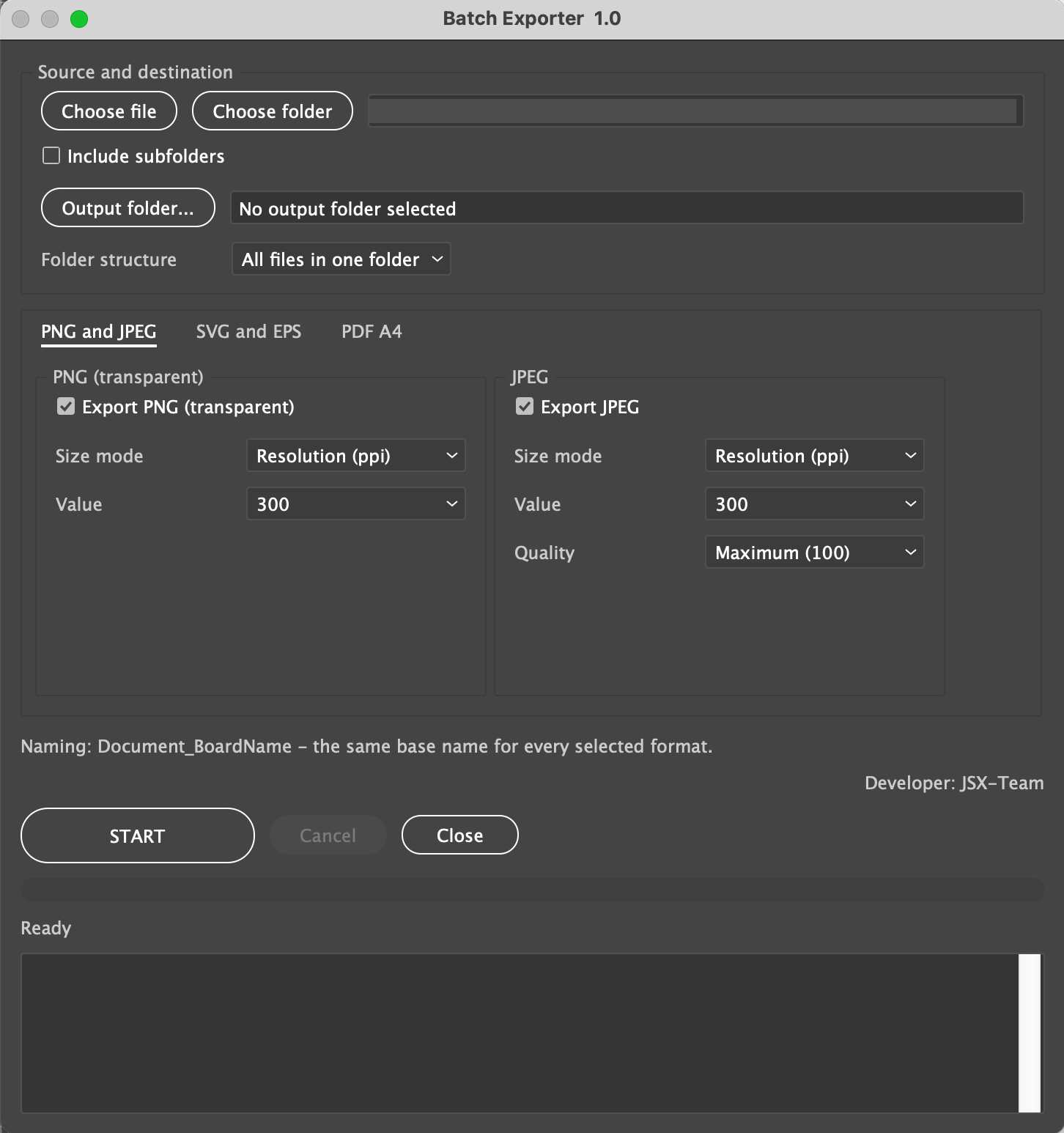
1. Choose one AI or EPS source file and an output folder.
2. Select folders by format.
3. Enable PNG at a target width, JPEG at the required quality, and SVG with the
NO MORE OPENING AND EXPORTING EVERY DOCUMENT AND EVERY ARTBOARD BY HAND.
Every artboard is exported with the same DocumentName_BoardName base name into organized format folders.
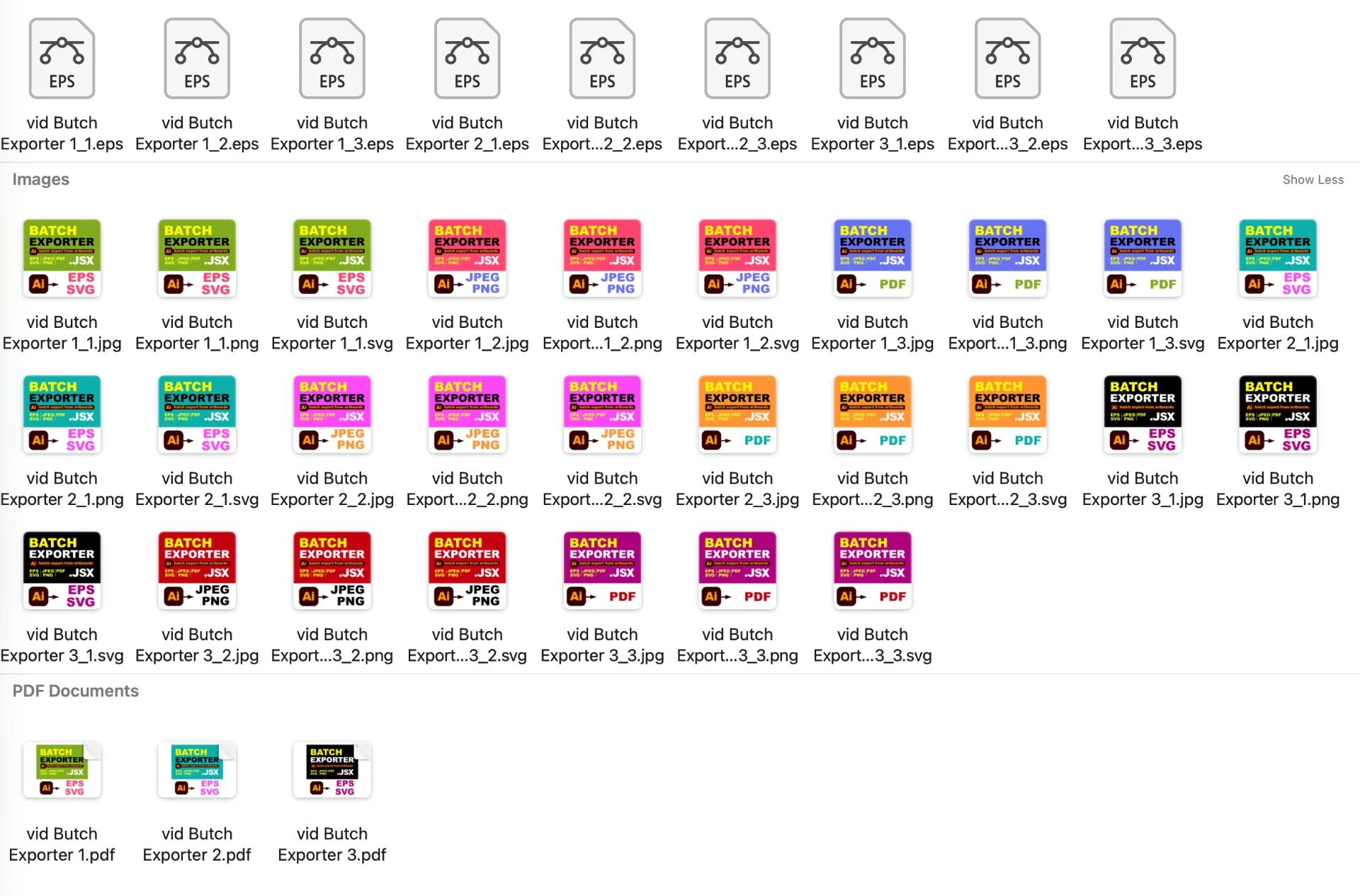
HOW BATCH EXPORTER WORKS
- Choose one AI/EPS file or a folder.
- Choose an existing writable output folder.
- Select the folder structure and export options.
- Configure format-specific options.
- Click START and choose Overwrite All, Skip All, or Cancel if files already exist.
- Review the progress log and sample output from every selected format.
REQUIREMENTS
- Adobe Illustrator 2025, 2026
- macOS or Windows
- AI or EPS input files.
- Existing writable output folder with enough free space.
- Available fonts, links, and PDF presets required by the artwork.
IMPORTANT TO KNOW
- PNG/JPEG can use 72, 150, or 300 ppi, or a fixed width of 512, 1024, 1200, or 2048 px.
- PDF pages are always A4; PDF can be per-artboard or multi-page per source document.
- Per-artboard SVG, EPS, and single-page PDF use temporary documents and intersecting artwork; review complex content.
- Missing fonts and links are not repaired.
- Cancellation takes effect after the current export operation.
- A batch may replace many files; test one representative document first.
INCLUDED WITH BATCH EXPORTER
- Protected Batch Exporter.jsx script
- README
- Quick-Start Guide for macOS and Windows
- Full User Guide
- Package Contents
- Important Do-Not-Edit Notice