

Artboard Placer
MOVE ARTWORK TO EXACT COORDINATES OR CENTER IT ON EVERY ARTBOARD.
Need consistent artwork placement across one or many artboards?
Artboard Placer moves eligible artwork to a precise X/Y position relative to each artboard, using any of nine object reference points. It can also ignore coordinates and place artwork directly at the artboard center.
Process the active artboard or the entire document. When an artboard contains several top-level objects, the script can group them first and move the complete composition together.

INDIVIDUAL LICENSE
1 USER up to 2 DEVICES

TEAM LICENSE
UP TO 10 USERS
HOW ARTBOARD PLACER WORKS
PREPARE ARTWORK
Make the intended objects and their parent layers visible and unlocked.
Position the top-left point of each composition 0:0 from the top-left corner on every artboard.
Position each composition in center on every artboard.
RUN ARTBOARD PLACER
Open: File → Scripts → Artboard Placer.
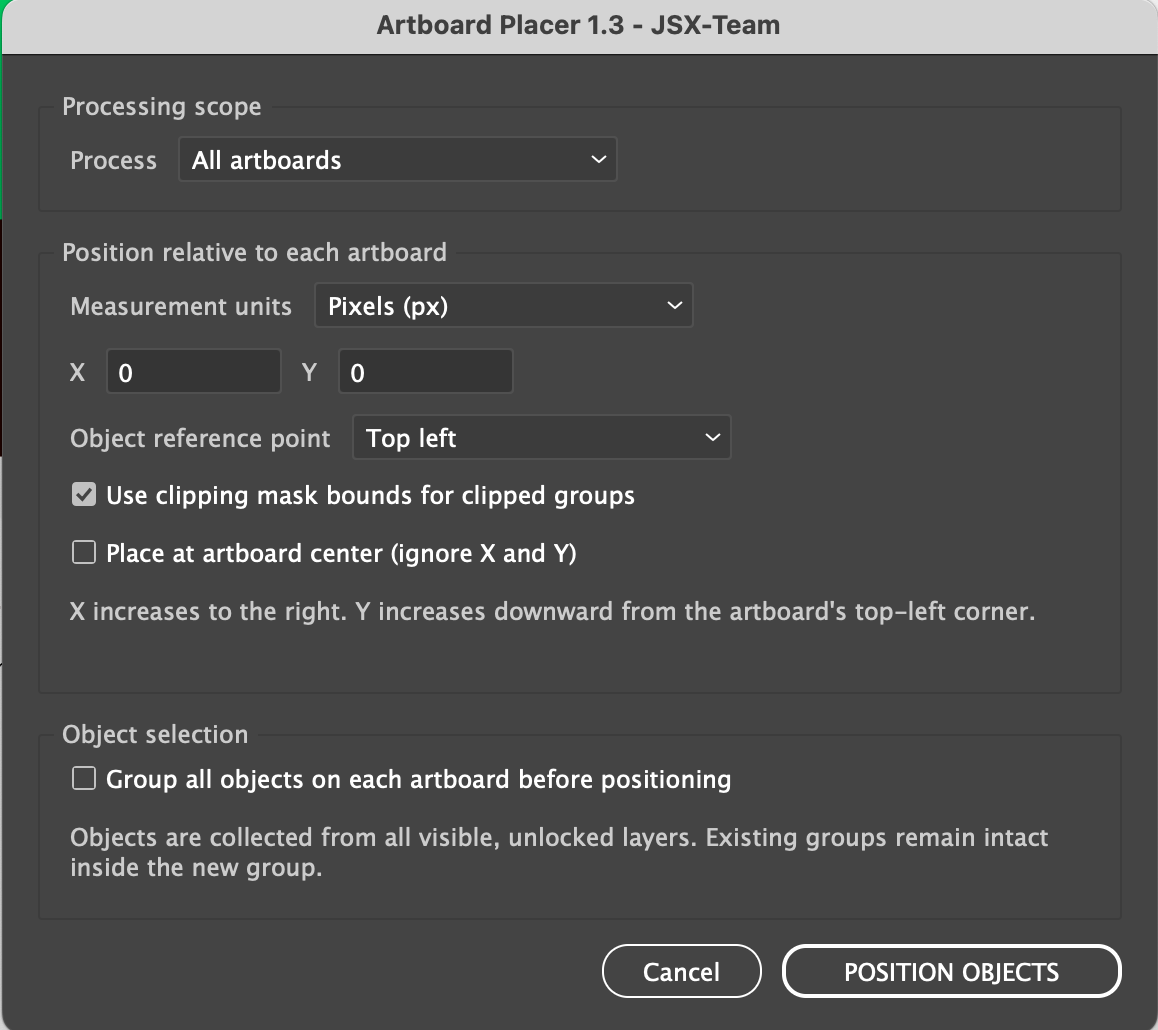
CHOOSE SCOPE - Select Active artboard or All artboards
SET POSITION - Choose px or mm, enter X and Y, and select one of nine object reference
CHOOSE ALL ARTBOARDS. Enable Place at artboard center (ignore X and Y)
NO MORE MOVING AND ALIGNING OBJECTS ONE BY ONE.
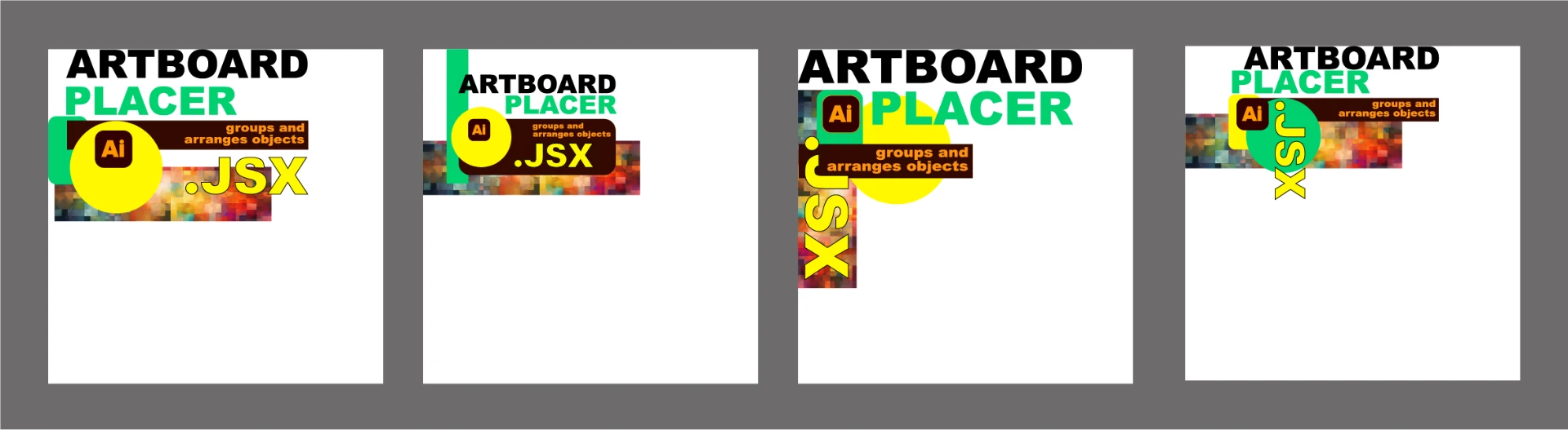
RESULT
Artwork is placed at the same exact offset on the selected artboard or on every artboard.
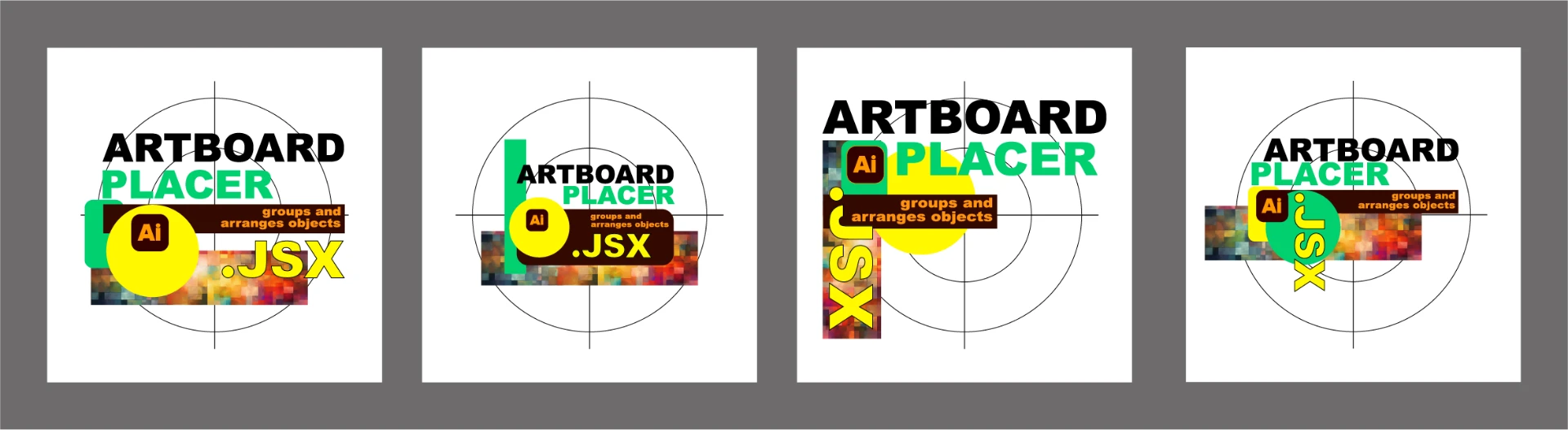
RESULT
Each composition is grouped when requested and centered on its artboard.
HOW ARTBOARD PLACER WORKS
- Save or duplicate the document.
- Show and unlock the artwork to be moved.
- Choose Active artboard or All artboards.
- Choose exact coordinates and a reference point, or enable artboard centering.
- Enable grouping when all root objects must move together.
- Click POSITION OBJECTS and review the completion report.
REQUIREMENTS
- Adobe Illustrator 2025, 2026
- macOS or Windows
- An open document with at least one artboard, layer, and eligible object.
- Artwork and parent layers visible and unlocked.
- Exact Illustrator and operating-system version ranges are not confirmed in the guide.
IMPORTANT TO KNOW
- X/Y starts at each artboard's top-left corner; X goes right and Y goes down.
- Object assignment is based on the center of geometric bounds.
- With grouping off, only the first eligible root object on each artboard is moved.
- Geometric bounds do not include the full appearance of strokes or live effects.
- Overlapping artboards can affect assignment.
- Grouping changes the document structure; there is no preview or built-in rollback.
INCLUDED WITH ARTBOARD PLACER
- Protected Artboard Placer.jsx script
- README
- Quick-Start Guide for macOS and Windows
- Full User Guide
- Package Contents
- Important Do-Not-Edit Notice